 Fullmedia Alchemist
Free
Try Reach on one brand.
$0/mo
free forever
- 1 brand
- 150 AI credits to try (one time)
- Public options library
- Connect your own Gmail
- Priority score and Top 10
- Free communities finder
- Speak your drafts and hands-free commands
Tell Reach the kind of creators and outlets you want. It researches them, brings back a shortlist with contacts and a first draft for each, and then keeps every deal moving until it is closed. You approve every message.
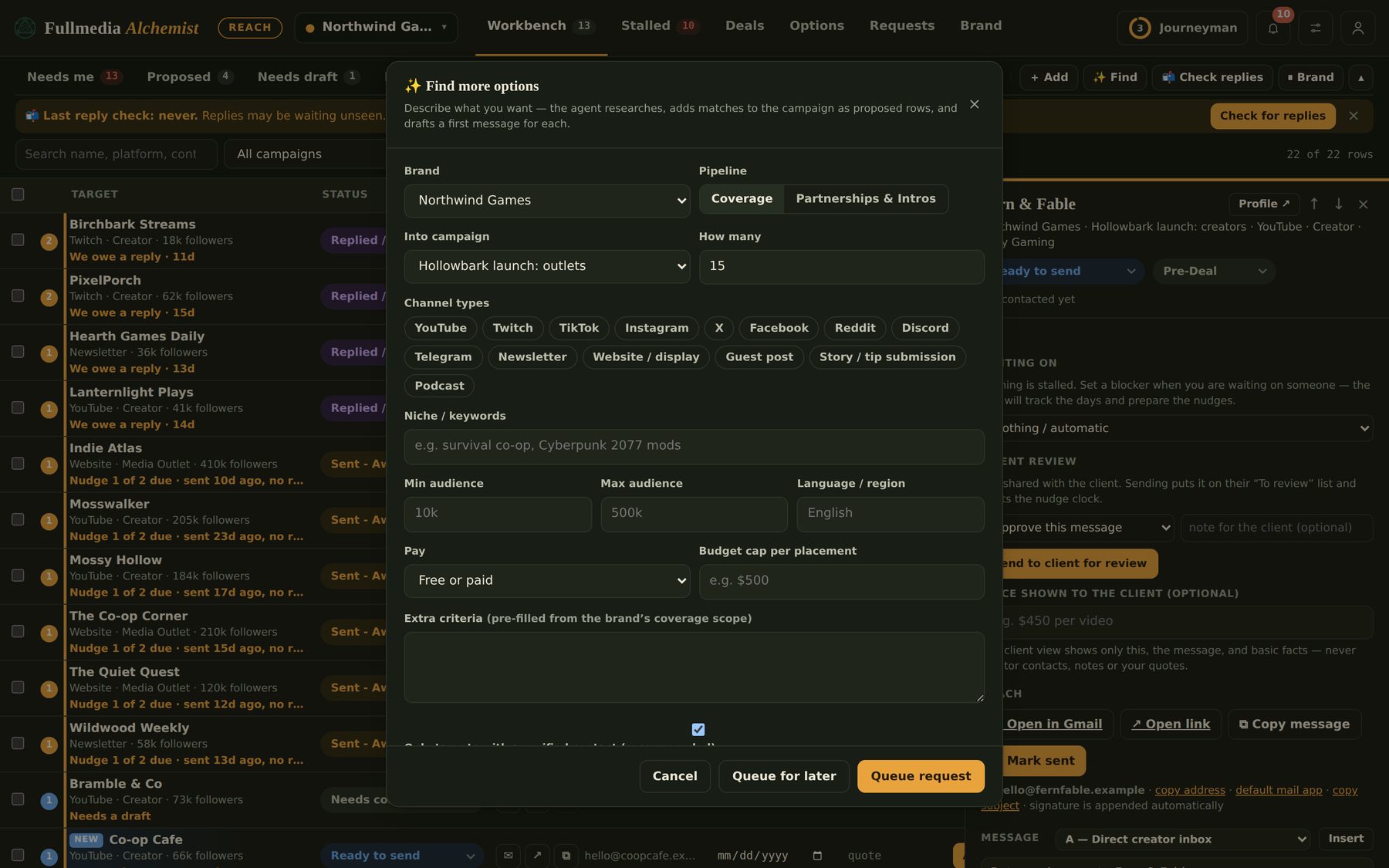
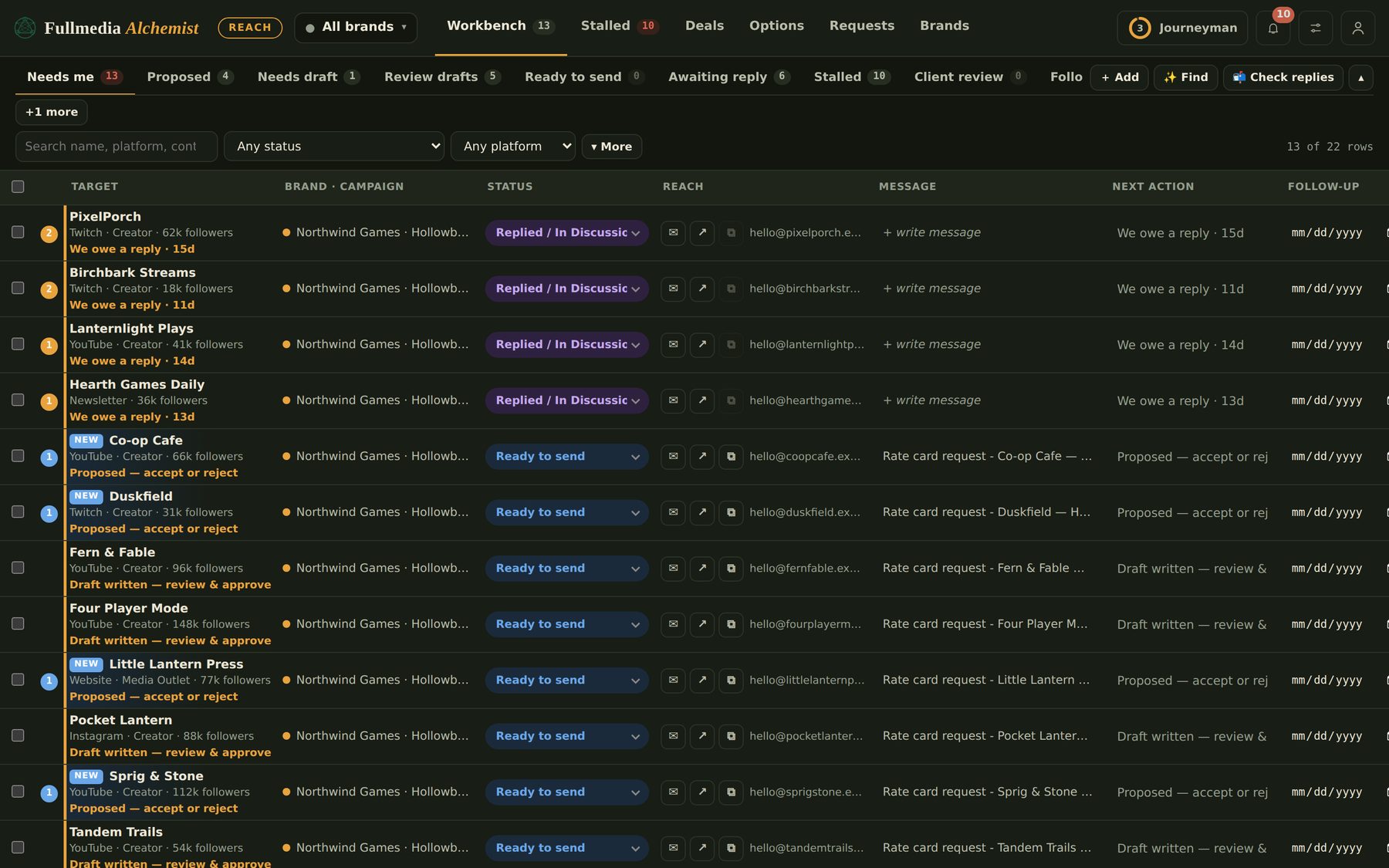
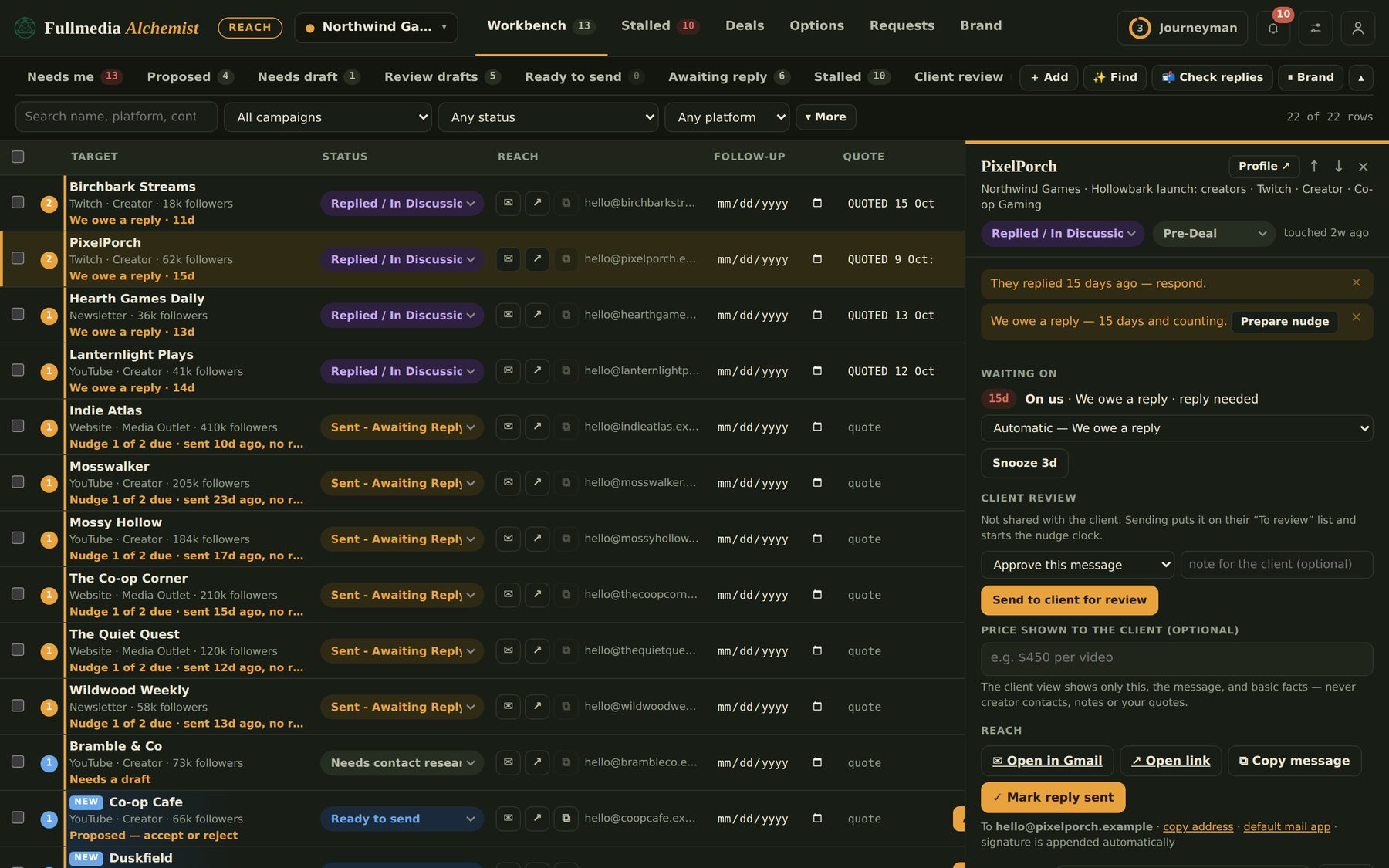
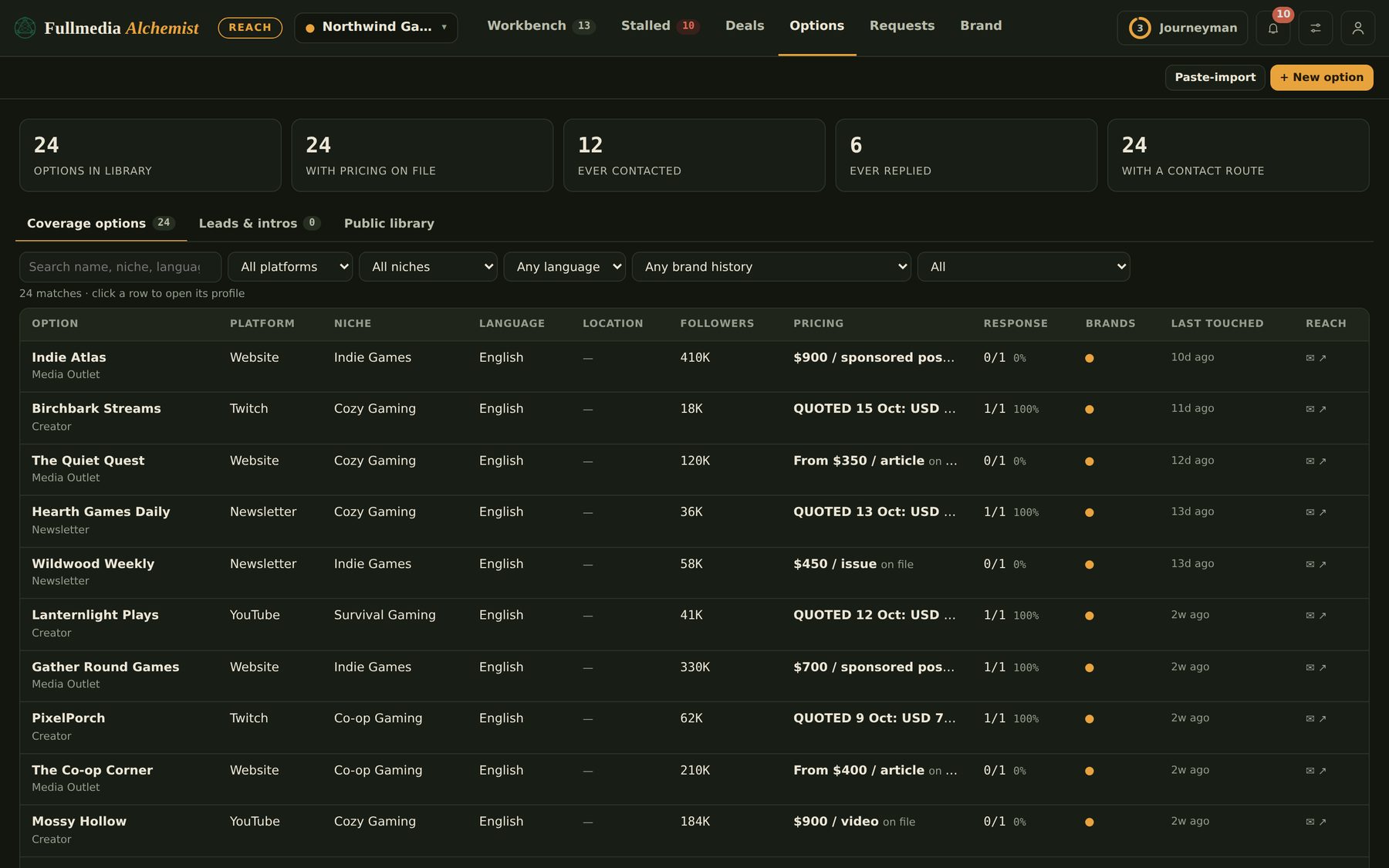
Screens show a made-up brand, Northwind Games, and invented creators.
Finding the right options is the slow part, so that is where Reach starts. The rest of the work stays in one place after that.
Say who you want: channel types, niche, audience size, language, free or paid, and a budget cap per placement.
Matches arrive as Proposed rows with a reason each one fits, a verified contact route and a source, and a first draft.
Open the draft in Gmail with your signature or copy it, then mark it sent. You approve every message.
Replies land on the same deal. Reach shows who owes the next move, nudges stalled deals and holds the approvals checklist.
Instead of hunting through channels and About pages, you describe the audience. Reach does the research with your connected web research and Gmail (read-only) and brings the matches to you.
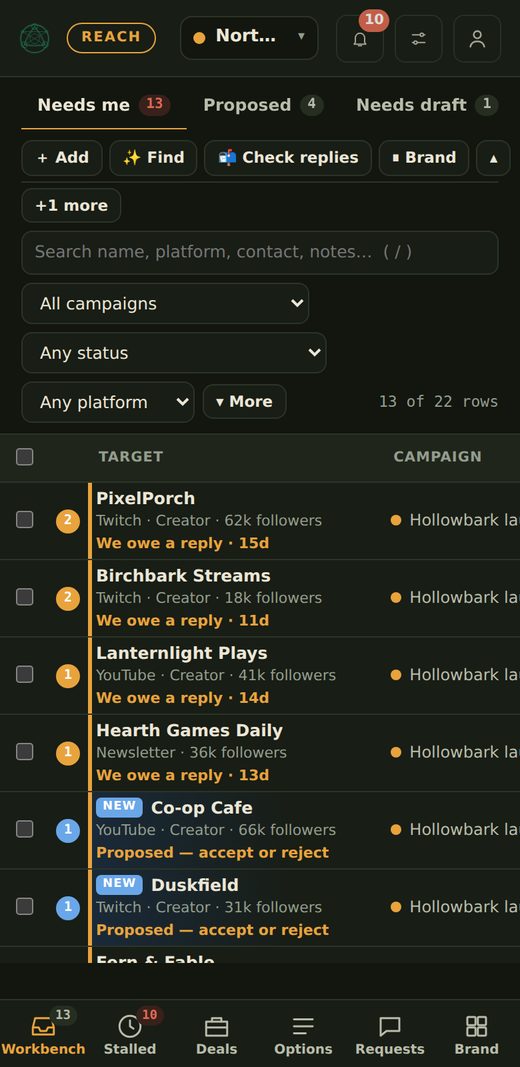
The Needs me view puts replies you owe, proposed options and drafts waiting for review in one list, across every brand.
Open a deal and see what it is waiting on, how many days it has waited, and the message, quote and history in one place.
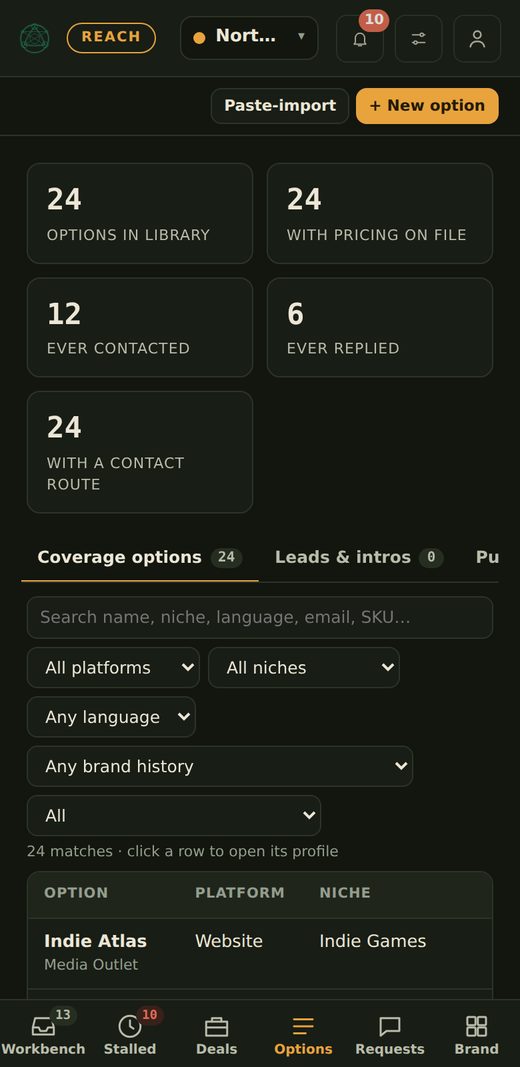
One record per option, so you never dig through old threads for a rate or wonder if someone already emailed them.
Some deals need an NDA, a signature, or a yes from the client, licensing or payments before they go further. Set the checks once per brand and Reach makes sure they are confirmed at the right stage.
NDA signed, contract signed, client approval, licensing cleared, payment approved, legal review, right materials shared. Or write your own.
A Reminder is one click to continue. Required means you must record a reason to go on. Choose the stage each applies to.
Every confirmation and every override is written on the deal, so you can see who agreed to what and when.
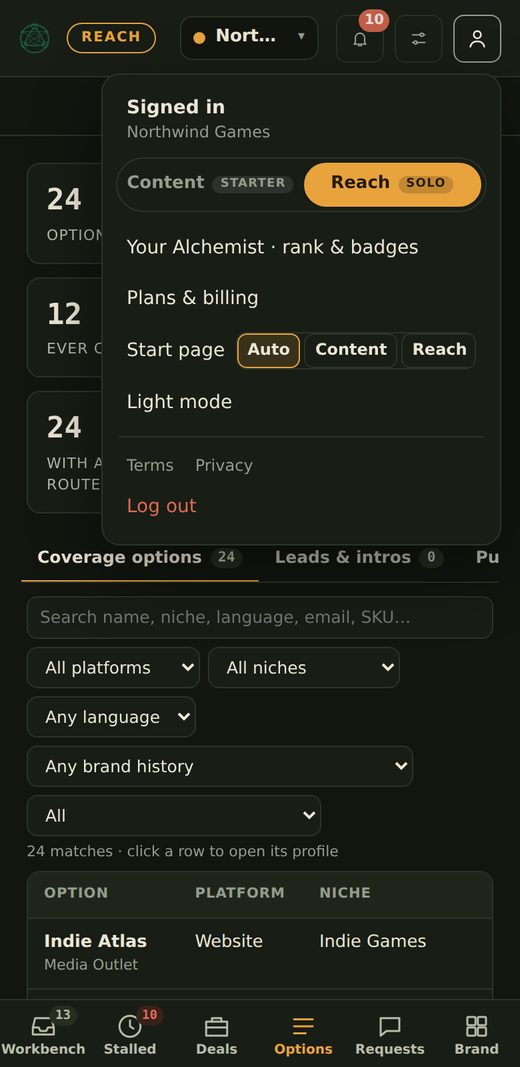
A bottom tab bar and a slim header keep Reach usable on a phone. Check who replied, approve a draft, mark it sent.
Each brand has its own settings, tone, signature, do-not-contact list and campaigns.
Growth has 3 seats and Agency has 10, with the right people on the right brands.
Client review links on Growth and client portals on Agency. Clients see the message and the price you show, never your notes or contacts.
Every open row gets a 0 to 100 score from what is on it: audience, your fit score, how reachable they are, proof and price, and where the deal stands. Sort by it, or tick Top 10 to see the ten best. No AI calls, nothing sent. How the score works
Switch Find to Free communities and it looks for subreddits, Discords, forums, newsletters and write-for-us pages. It reads each place's rules first, saves how to post there, and drops anywhere that bans promotion. Read more
Dictate exact words with spoken corrections tidied ("Tuesday, no, Wednesday"), or talk loosely and let Reach draft from your idea using the recipient and your brand facts. You edit before anything goes. About voice
Say "next", "who is this", "draft", "make it shorter", "read it back", "undo", "copy message" and "mark sent" to work through your list without typing.
Save a trigger and its text, like your rates or a link, then say it or type it with a slash to drop it into the message. Snippets insert text and links. They do not attach files.
Optional two-step sign-in with an authenticator app, password reset, sign out everywhere, and a download of your data, from the account menu. Details
No verified route, no row. Where nothing is found, it says so instead of guessing.
Prices are only what you or the creator gave. Nothing in the library is estimated.
You review every message. Reach opens it in your Gmail or copies it, and you press send.
Reach has its own plans, separate from Content. Pick the one for how many brands and people you run.
Choose the same tier of each. You get one checkout and one invoice, and the price is 10% below buying them separately for as long as you keep both. Choose Content, choose Reach, or choose a bundle on the pricing page.
Different tiers, or Free on one tool, are billed separately with no discount. Bundle prices shown for monthly billing. Build your plan
From you or from a request. You can add them yourself, paste or import a deck or sheet, take them from the public library other Reach users share, or ask Reach to find more. A request runs the in-app agent with your connected web research, adds matches as Proposed rows with a reason each one fits, and drafts a first message for you to review.
No. A request only returns options that have a contact route and a recorded source, and prices shown are only what is on file. Where nothing is on file, the cell stays empty for you to fill.
No. Reach drafts the message and you review it. You open it in Gmail with your signature, or copy it, and then mark it sent. Nothing leaves without you.
Yes. Set a sending address per brand under Brand, Sender & signature. A blank field uses the workspace default. Automated mail goes out from the Google account Claude’s Gmail is signed in to, not from an alias. For a brand’s own address in automation, give that brand its own mailbox (Automation, Right accounts). An alias works only when you send by hand from Gmail and choose From yourself. How to send as each brand.
No. Claude’s Gmail connection has no From box, so automated mail goes out from the account it is signed in to. To send as a brand’s own address, give the brand its own mailbox and sign Claude’s Gmail in as it. To use aliases, send by hand from Gmail. Reach will not send for a brand until you confirm which account is signed in. Read the guide.
In Google Admin, add your brand’s domain as a user alias domain (if it has its own domain), then add the alias under your user in Directory, Users. Gmail lists it in Send mail as within about a day. Google Workspace allows up to 30 aliases per user at no extra cost. Aliases apply to mail you send by hand from Gmail. Automated sends from Claude do not use them. Read the guide.
Yes, if it can use your browser. Sign in yourself, give it the prompt in the guide, and read its summary. Never give an assistant your password or a verification code. Read the guide.
Yes. Brands that send through the same mailbox share its daily limit and its sending reputation. Reach keeps one daily cap for the workspace, shared by every brand you tick, and suggests a second mailbox when your volume grows. Read the guide.
The reply goes on the same deal with its history. Reach shows who owes the next move, how long it has been waiting, and prepares a nudge when a deal stalls.
The drafts, research and assistant answers Reach does for you. Each plan has a monthly allowance and a usage meter in your workspace settings, so you always see what is left.
Put Content and Reach on the same tier and you pay one price for both, 10% below buying them separately, on one invoice. Different tiers are billed separately with no discount. You can start either tool free and add the other later.
On Growth and Agency, yes, without seeing your internal notes. Growth gets client review links, Agency gets client portals. The client view shows the message, the price you choose to show, and basic facts, never creator contacts, notes or your quotes.
Open Reach with your Fullmedia Alchemist login and ask for your first shortlist.